 ScanScrub
Anonymize DICOM, including the names printed on the image.
Most anonymizers only clean the file header. Names, IDs and dates burned into X-ray and ultrasound pixels slip straight through. ScanScrub removes both, entirely on your computer, and lets you review every redaction before you share.
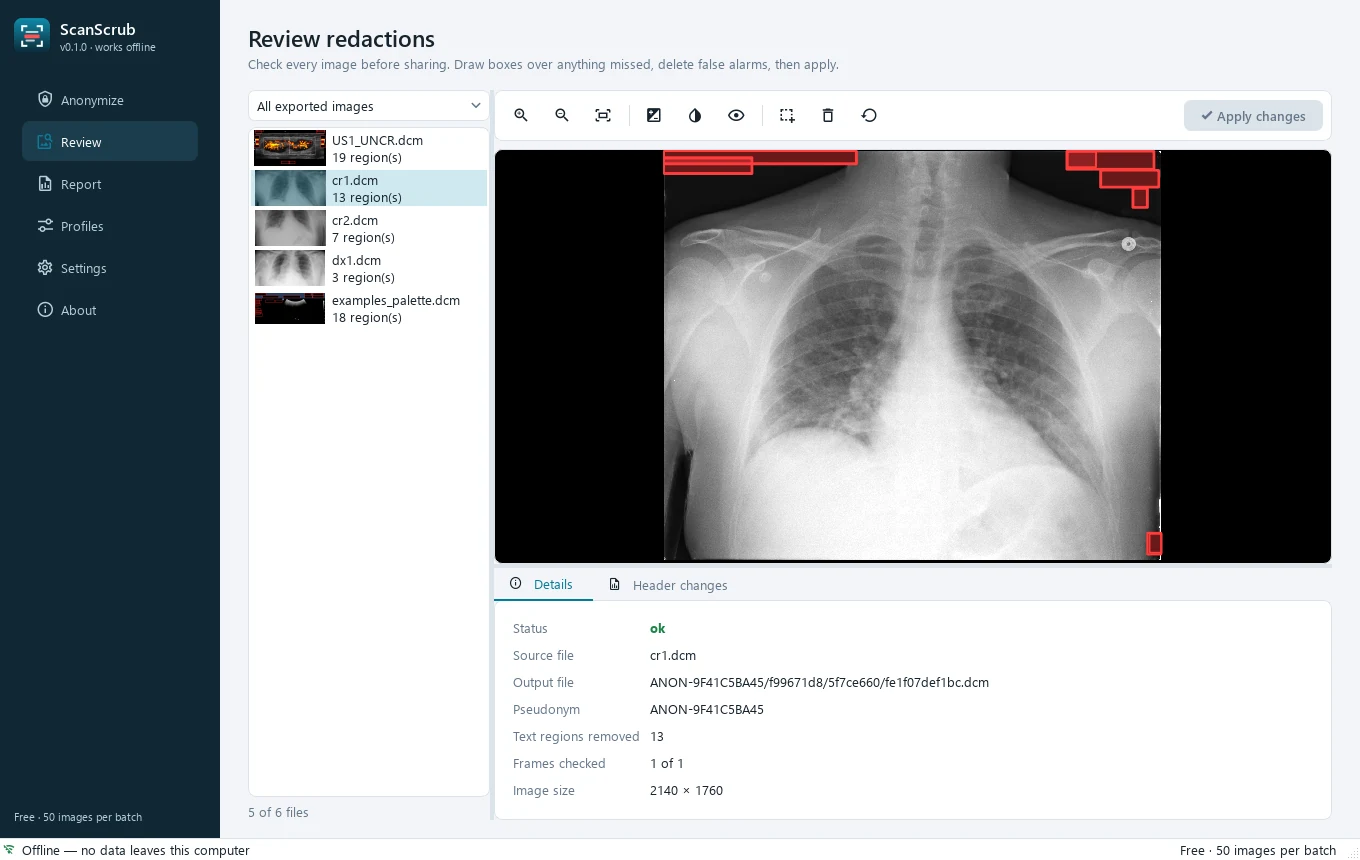
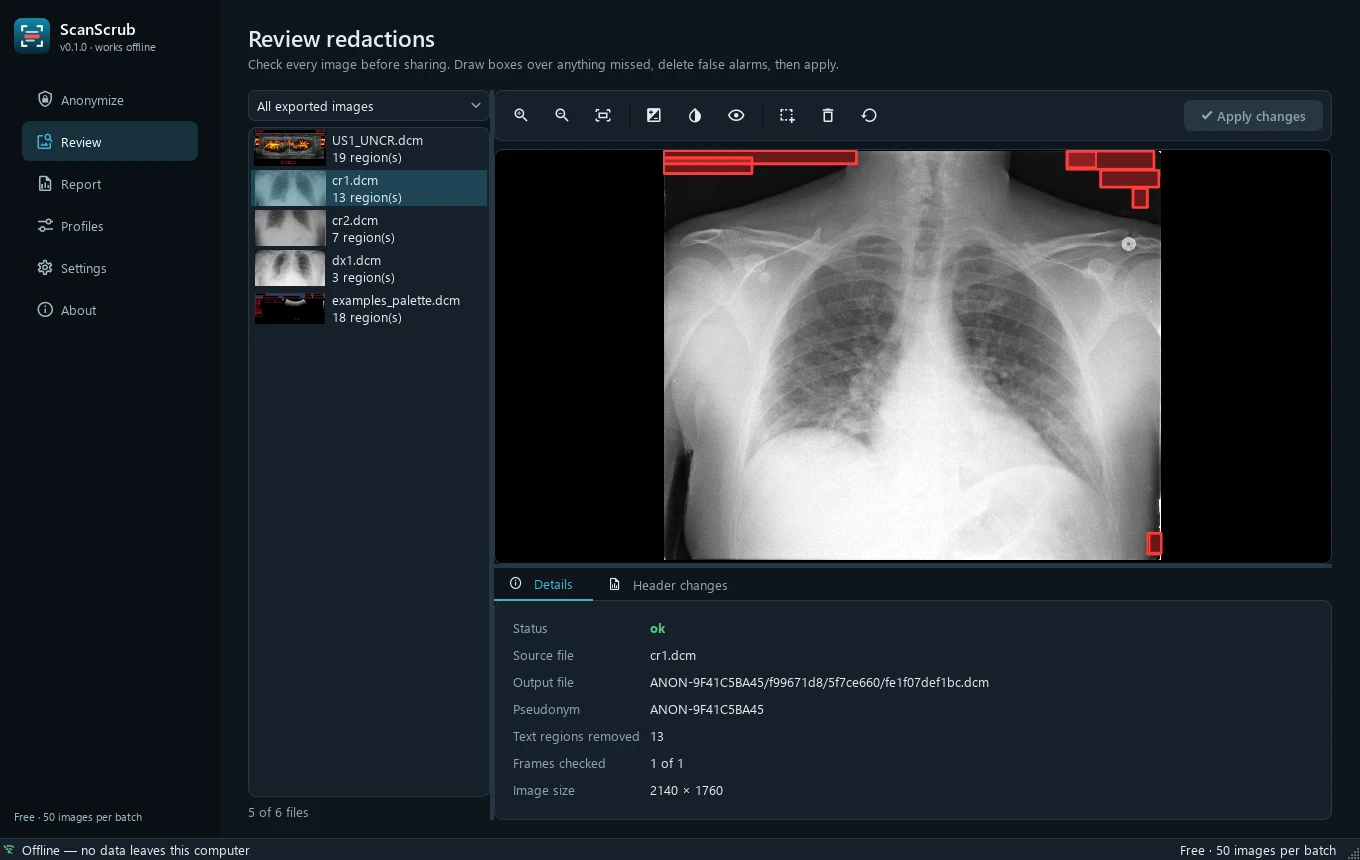
Header cleaning isn’t enough
X-ray, ultrasound and scanned images often carry the patient’s name and date of birth inside the pixels. Drag the slider to see what ScanScrub removes.
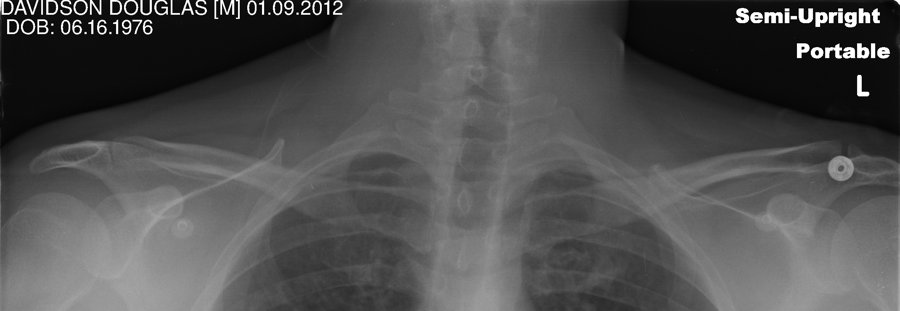
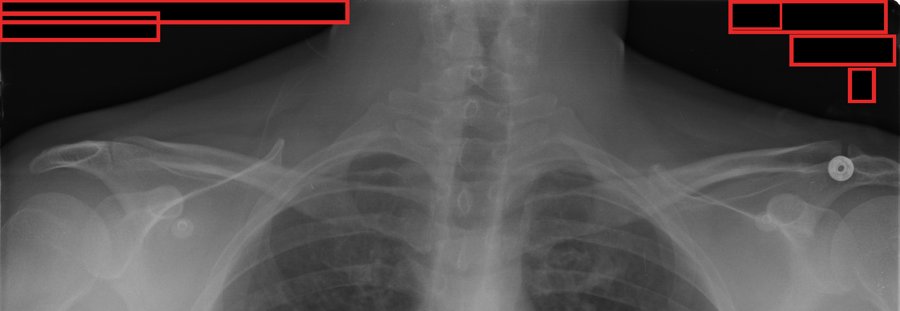 BeforeAfter
Synthetic patient data from TCIA Pseudo-PHI-DICOM-Data (CC BY 4.0). Red outlines show what was removed.
Three steps. No scripting.
Point it at a folder — a copied hospital CD works — and get a clean copy that’s safe to share with collaborators, AI teams or journals.
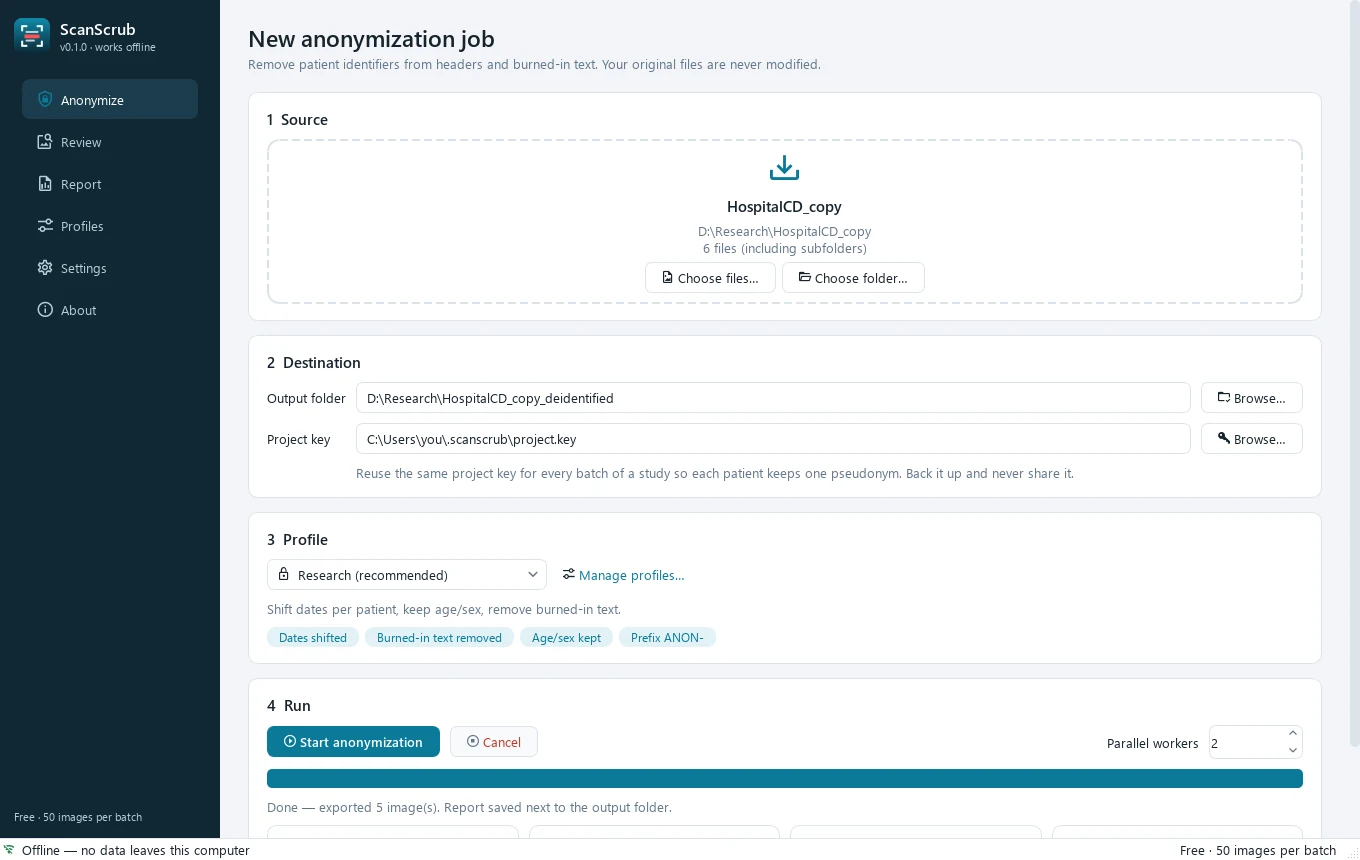
Choose a folder
Drag in a single file, many files or whole folders — DICOM, JPEG, PNG, TIFF or NIfTI — and pick a profile.
Scrub automatically
Headers are cleaned with a whitelist and burned-in text is detected and blanked on-device.
Review & share
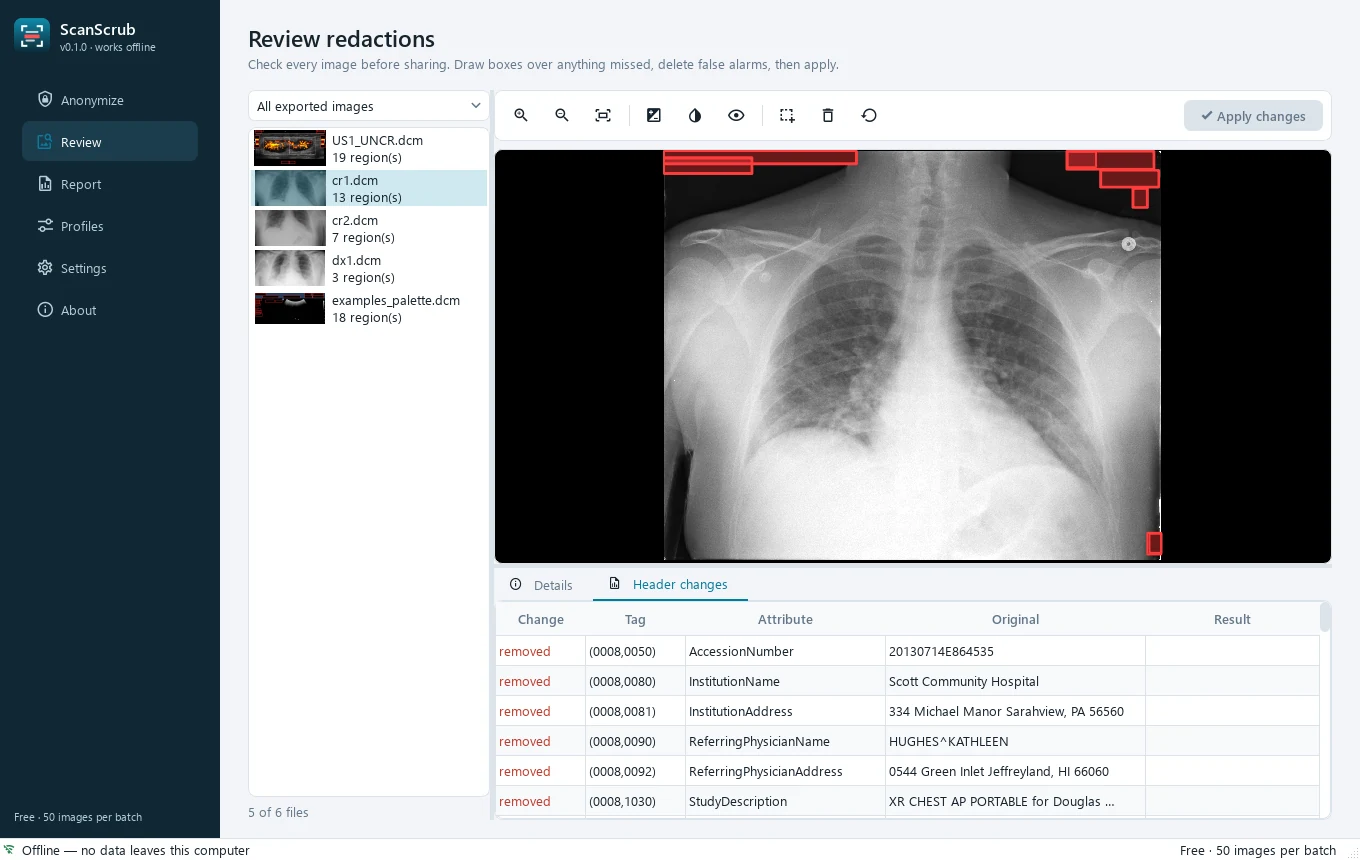
Check each image, draw a box over anything missed, then share the output folder.
Everything a de-identification workflow needs
Burned-in text removal
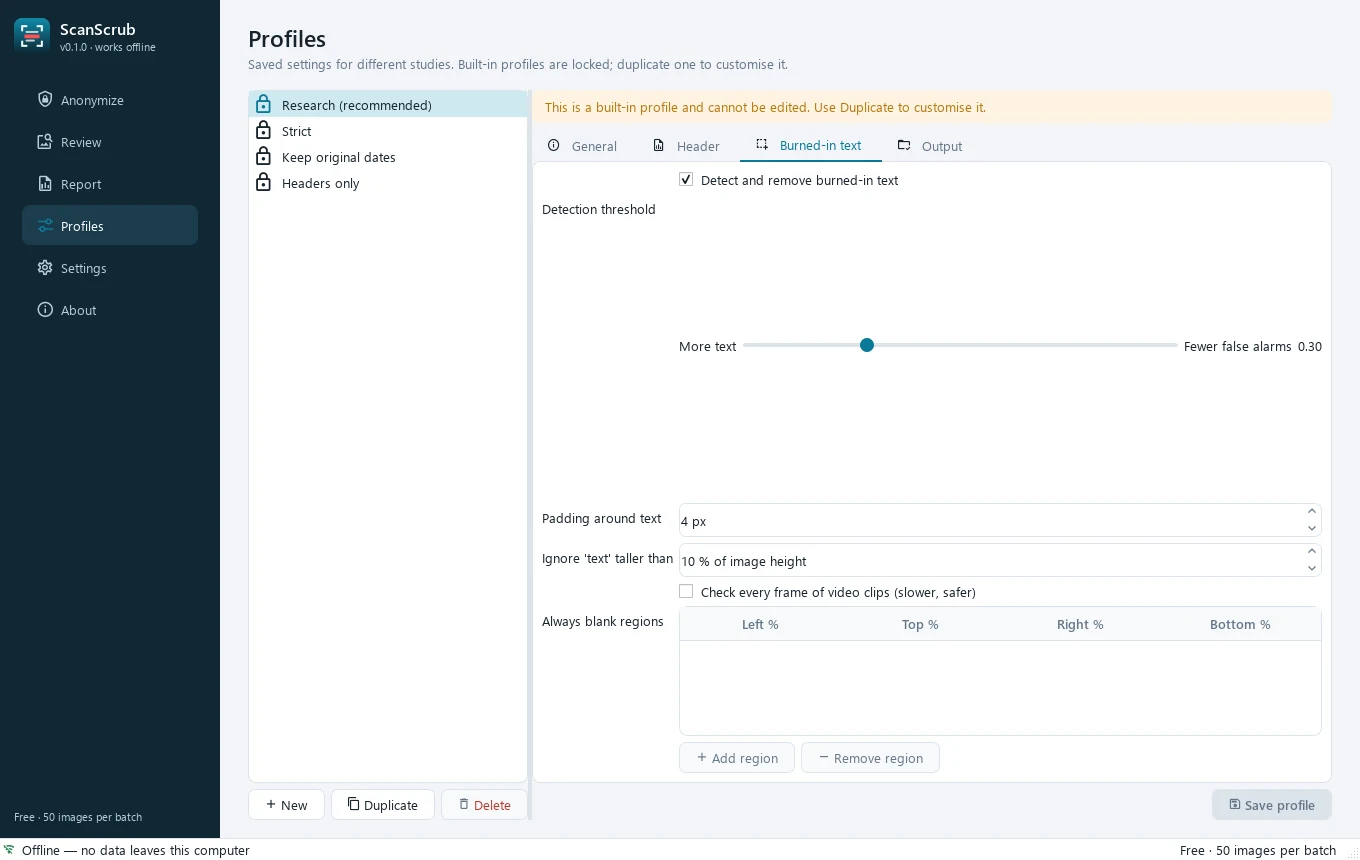
On-device text detection finds labels in the pixels — even small text on 3000-pixel X-rays and every frame of ultrasound clips.
Whitelist header cleaning
Only attributes needed for imaging survive. Names, IDs, institutions, physicians, private tags and overlays are removed.
Review & edit redactions
Zoom, window/level, compare with the original, draw or delete boxes, then re-apply — per image.
Consistent pseudonyms
A project key keeps the same pseudonym and date shift for each patient across batches, so longitudinal studies stay linked.
Profiles & tag rules
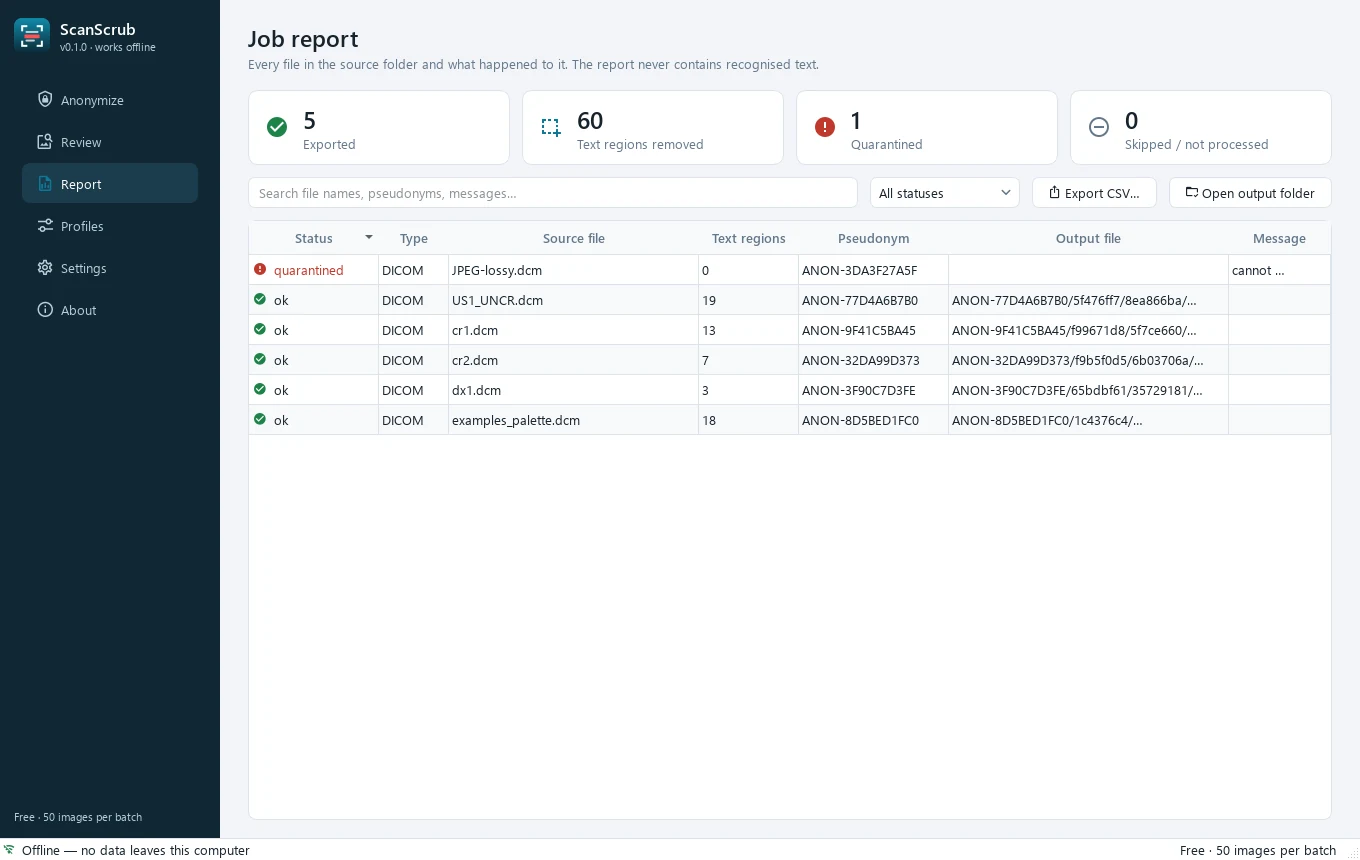
Save presets per study, keep or remove specific tags, set a pseudonym prefix, add always-blank regions. Every file gets an audit-ready report.
DICOM, images & NIfTI
Any mix of DICOM, JPEG, PNG, TIFF, BMP, WebP and NIfTI. Lossless compressed output and PNG export for AI datasets.
A desktop app built for careful work
Where ScanScrub fits
There are good free tools. Here’s an honest comparison.
| Header-only anonymizers | Manual pixel tools | Developer libraries | ScanScrub | |
|---|---|---|---|---|
| Cleans headers | ✓ | ✓ | ✓ | ✓ |
| Finds burned-in text automatically | — | You draw boxes | ✓ | ✓ |
| No coding needed | ✓ | ✓ | — | ✓ |
| Visual review & manual correction | — | ✓ | Build it yourself | ✓ |
| Refuses to export what it can’t clean | Varies | Varies | Build it yourself | ✓ |
Designed to fail safe
Patient data never leaves your computer — and when something can’t be cleaned with confidence, it isn’t exported.
- Fully offlineNo cloud processing, no telemetry, no account. Works with the network unplugged.
- Fail-closed exportUnreadable or undecodable files are quarantined and listed in the report, never copied.
- Whitelist, not blacklistUnknown and private attributes are removed by default, so new vendor tags can’t leak.
- No PHI in reports or logsOutput files are named from replacement UIDs; recognised text is never stored.
Simple, one-time pricing
No subscription. Every plan includes every feature — paid plans remove the batch limit.
Pro
For individual researchers
India: ₹999
- Unlimited images
- 1 user, 2 computers
- 1 year of updates
- Email support
Lab
For research groups
India: ₹4,999
- Unlimited images
- Up to 5 users
- 1 year of updates
- Priority support
Done for you
We de-identify your dataset
India: from ₹9,999
- Bulk processing
- Manual QA of redactions
- Summary report
Regional pricing: customers in India pay in INR. Taxes calculated at checkout. 7-day refund if it doesn’t work for you.
Questions
Does any patient data leave my computer?
No. Everything, including text detection, runs locally. The app doesn’t send images, metadata, usage statistics or crash reports anywhere.
Is it 100% accurate?
No automated tool is. Text that blends into anatomy, handwriting or unusual fonts can be missed — that’s why every redaction is shown for review and can be corrected. In our tests on public benchmark X-rays (TCIA Pseudo-PHI-DICOM-Data) and ultrasound samples, no burned-in patient text remained readable, but you remain responsible for checking your data.
Will it damage the image?
Only the detected text boxes are blanked (typically about 1% of an X-ray). Everything else is bit-exact for lossless images. Compressed files are saved uncompressed so no further quality is lost.
Does it make my data HIPAA / DPDP compliant?
It’s a tool that helps you remove identifiers; compliance depends on your whole process and your institution’s policies. It doesn’t replace your ethics committee or data-protection officer.
Which formats are supported?
DICOM: uncompressed, JPEG baseline, JPEG Lossless, JPEG-LS, JPEG 2000 and RLE; greyscale, colour and palette; single and multi-frame; with or without the standard preamble. Images: JPEG, PNG (incl. 16-bit), TIFF (incl. multi-page), BMP, WebP, GIF, JPEG 2000 and more — burned-in text is removed and EXIF/XMP/IPTC, PNG text and TIFF author/description tags are stripped. NIfTI: .nii and .nii.gz header text fields and extensions are cleared. Output DICOM can be saved uncompressed or with lossless RLE / JPEG 2000 compression, with optional PNG copies for AI datasets.
Is this a medical device?
No. It doesn’t diagnose or alter clinical findings and isn’t intended for clinical use.
Mac or Linux?
Windows first. Email us if you need macOS or Linux — demand decides what comes next.
Share imaging data with confidence
Free for up to 50 images per batch. No sign-up.